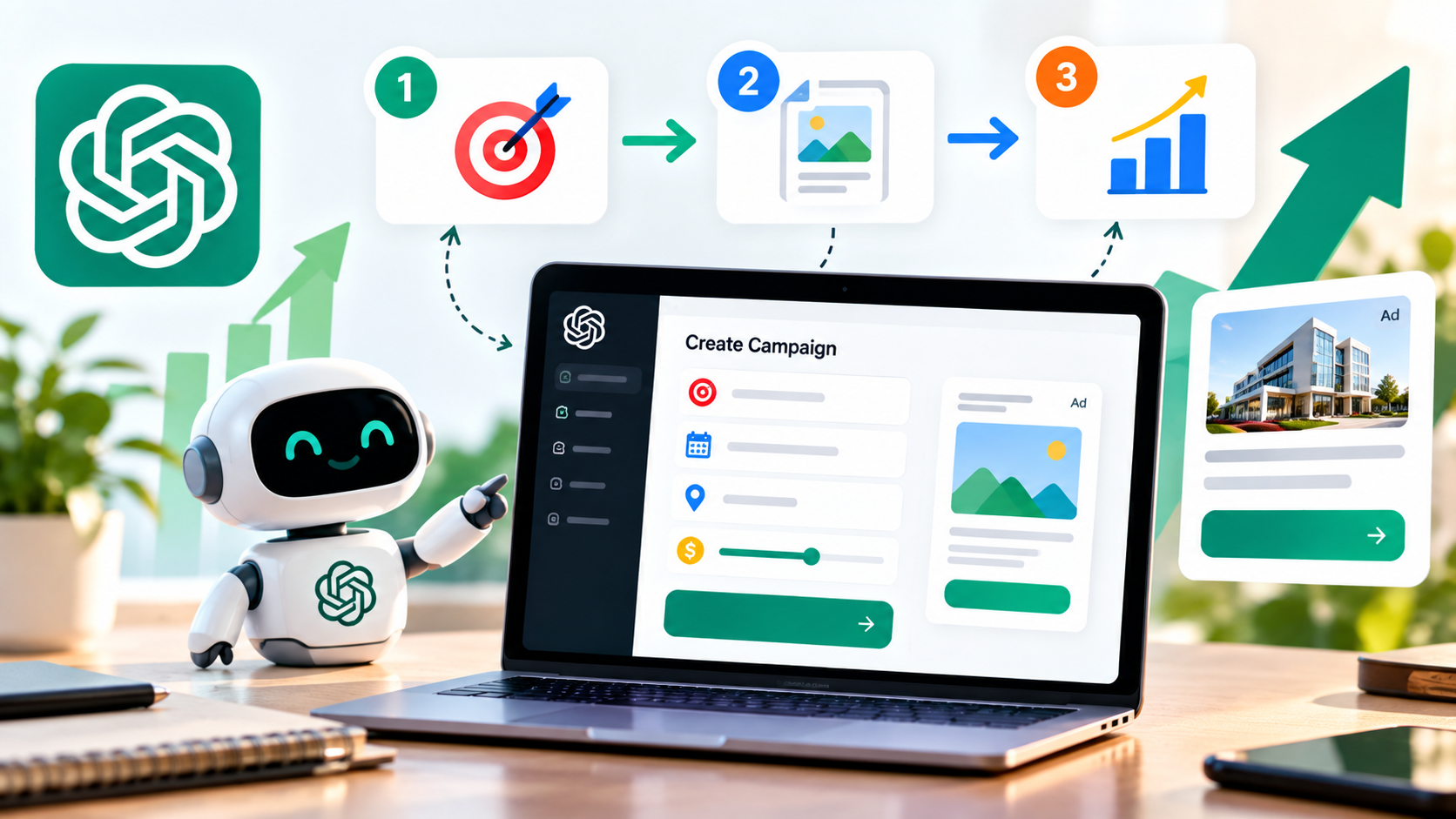

If you want to advertise your business on ChatGPT, the next step after setting up your OpenAI Ads Manager account is creating your first campaign.
OpenAI Ads Manager allows advertisers to create campaigns, organize ads into ad groups, define budgets and objectives, create ad creatives and monitor campaign performance.
For a complete introduction to advertising on ChatGPT in India, read our How to Run Ads on ChatGPT in India.
If you are still setting up your advertising account, see our ChatGPT Ads Manager Login Guide first.
What Is a ChatGPT Ad Campaign?
A ChatGPT ad campaign is the top-level structure used to define an advertising goal, budget, schedule and targeting for your ChatGPT advertising activity.
Inside a campaign, advertisers can create ad groups and ads that support the same business objective.
OpenAI Ads Manager currently structures campaigns into three main levels:
- Campaign: Defines the overall advertising objective, budget, dates and targeting.
- Ad Group: Organizes ads around a specific product, service, theme or customer need.
- Ad: Contains the advertising creative, including the title, copy, image and landing page.
This structure allows advertisers to organize different offers and messaging while keeping them connected to a broader campaign objective.
What Do You Need Before Creating a ChatGPT Ad Campaign?
Before creating a campaign, make sure your OpenAI Ads Manager account is ready.
- OpenAI Ads Manager account
- Advertiser account information
- Business logo or favicon where required
- Billing profile
- Payment method
- Business verification if required
- Website or landing page
- Advertising copy
- Ad image or creative
- Campaign objective
- Target country or countries
- Budget
OpenAI recommends completing account setup, billing and verification before launching campaigns.
How to Create a ChatGPT Ad Campaign
Step 1: Log In to OpenAI Ads Manager
Start by signing in to OpenAI Ads Manager using the OpenAI account associated with your advertising activity.
After entering Ads Manager, make sure you are working in the correct advertiser account before creating a campaign.
If you need help accessing your account, read our ChatGPT Ads Manager Login Guide.
Step 2: Select Create Campaign
Inside Ads Manager, use the campaign creation workflow to start a new campaign.
OpenAI currently provides guided campaign creation and supported bulk-upload workflows for creating campaigns. For a first campaign, the guided workflow is generally the simpler option.
The guided workflow takes you through the required campaign information before you can proceed to ad groups and ads.
Step 3: Choose a Campaign Name
Give your campaign a clear and descriptive name.
A good campaign name should make it easy to understand the purpose of the campaign when you review your account later.
For example:
- India Lead Generation - October 2026
- MBBS Admission - India - 2026
- Digital Marketing Services - India
- Premium Furniture - Website Sales
Avoid using random names such as Campaign 1 or Test Campaign if you expect to manage multiple campaigns.
Step 4: Choose Your ChatGPT Ads Campaign Objective
The campaign objective determines what you want the advertising system to optimize toward and affects the applicable billing model.
OpenAI currently provides three main campaign objectives:
- Views: Designed for visibility and exposure and purchased using CPM.
- Clicks: Designed to drive traffic and purchased using CPC.
- Conversions: Designed to optimize toward a supported conversion event.
For conversion campaigns, eligible advertisers can use click-based or impression-based conversion optimization depending on the available setup.
OpenAI states that conversion campaigns are not billed per conversion. Depending on the selected option, advertisers can be charged based on valid clicks or impressions.
Which Objective Should You Choose?
| Objective | Best For | Billing |
|---|---|---|
| Views | Brand awareness and visibility | CPM |
| Clicks | Website traffic and engagement | CPC |
| Conversions | Leads, purchases and other supported actions | oCPC or oCPM, depending on setup |
Choose the objective based on the actual business result you want rather than simply selecting the cheapest-looking option.
Step 5: Set Your Campaign Budget
Your campaign budget controls how much you are willing to spend on the campaign.
OpenAI currently supports two main budget approaches:
- Daily budget: Sets an average amount the campaign can spend per day over the applicable seven-day period.
- Campaign-total budget: Sets the total amount you are willing to spend across the campaign.
A campaign-total budget can be useful when you have a fixed promotional budget, while a daily budget can be useful when you want an ongoing campaign with a controlled average daily spend.
Actual daily delivery can fluctuate under OpenAI's budget-pacing rules, so advertisers should understand the applicable spending limits rather than treating the daily budget as a strict same-day spending cap.
Step 6: Select Campaign Dates
Set the start date and, where appropriate, an end date for your campaign.
For a limited-time promotion, use dates that match the actual offer period.
For an evergreen campaign, choose a schedule that allows you to continuously monitor performance and make improvements.
Always check the campaign dates before submitting the campaign for launch.
Step 7: Choose Your Target Country
Campaign-level targeting can include the countries where you want your ads to run.
If your business operates only in India, make sure India is selected where appropriate rather than unnecessarily targeting additional countries.
For international businesses, create a clear structure for different markets so that budgets, messaging and performance can be evaluated separately.
Step 8: Create an Ad Group
Ad groups help organize advertisements around a shared product, service, theme or customer need.
For example, a digital marketing company could create separate ad groups for:
- SEO Services
- Google Ads Services
- Meta Ads Services
- Website Development
Keeping different customer needs in separate ad groups can make your campaign structure easier to manage and allows you to test different messaging and landing pages.
OpenAI recommends separating meaningfully different use cases when they require different messaging or landing pages.
Step 9: Add Context Hints
Context hints provide additional information that helps OpenAI's systems understand when an ad may be relevant.
A context hint can describe:
- What the product or service offers
- Who it is designed for
- When the product or service may be useful
- Relevant features or use cases
- Service areas where appropriate
For example, instead of writing a generic hint such as "digital marketing," a more descriptive context hint could explain that the business provides SEO and paid advertising services for small businesses looking to generate website leads.
Context hints are not exact-match keywords or guaranteed targeting rules. They help communicate relevance to the advertising system but do not guarantee that an advertisement will appear in a particular conversation.
Step 10: Create Your ChatGPT Ad
The advertisement is the creative users may see in ChatGPT when the advertising system determines that the ad is relevant.
Your ad can include elements such as:
- Ad title
- Ad copy
- Image
- Landing page URL
Keep the message clear and focused on the practical benefit of your product or service.
Instead of using generic marketing language, explain what you offer, who it helps and why the user may find it useful.
OpenAI's current creative guidance recommends clear, specific and benefit-focused advertising copy and encourages advertisers to test multiple meaningful variations.
How to Write a Good ChatGPT Ad
A strong ChatGPT advertisement should quickly communicate the value of the offer.
Use a Clear Title
The title should communicate the main benefit or offering without unnecessary words.
For example:
- Get Professional SEO Support
- Compare MBA Programs in India
- Build a High-Converting Business Website
Explain the Benefit
Use the description to explain what the customer can get from your product or service.
Use a Relevant Image
When an image is used, make sure it supports the advertisement and is consistent with the landing page and brand.
Use a Relevant Landing Page
Send users to a page that directly matches the product, service or offer mentioned in the advertisement.
A generic homepage may be less useful than a dedicated landing page created for the specific campaign.
Step 11: Create Multiple Ad Variations
Do not rely on a single advertisement when testing a new campaign.
Create multiple variations that communicate different legitimate benefits or angles of the same offer.
For example, an SEO agency could test:
- SEO for Local Businesses
- Improve Your Google Search Visibility
- Generate More Organic Website Leads
The variations should be meaningfully different rather than changing only one or two words.
OpenAI recommends using multiple diverse ad variations so the system can identify more opportunities where an advertisement may be relevant.
Step 12: Check Your Landing Page
Before launching your campaign, open the landing page URL and check that it works correctly.
Your landing page should:
- Load properly on desktop and mobile devices.
- Clearly explain the advertised product or service.
- Match the advertisement's message.
- Provide a clear next action.
- Represent the same business shown in the advertisement.
A mismatch between the advertisement and landing page can create a poor user experience and reduce the effectiveness of your campaign.
Step 13: Review Your Campaign
Before submitting the campaign, carefully review the campaign structure.
Check:
- Campaign name
- Objective
- Budget
- Start and end dates
- Country targeting
- Ad groups
- Context hints
- Ad titles
- Ad descriptions
- Images
- Landing page URLs
- Conversion event, if applicable
OpenAI recommends reviewing campaign details and ensuring required setup and reviews are complete before launch.
Step 14: Launch Your ChatGPT Ad Campaign
Once everything is ready, submit the campaign through Ads Manager for launch.
After the campaign begins serving, you can monitor performance through the reporting tools available in Ads Manager.
Do not judge a campaign only by impressions. Compare traffic, engagement, spend and conversions against your original business objective.
What Metrics Should You Track?
OpenAI Ads Manager currently provides several performance metrics that advertisers can use to evaluate campaigns.
- Impressions: Number of times ads were shown.
- Clicks: Number of clicks received.
- Spend: Amount spent delivering ads.
- CTR: Percentage of impressions that resulted in clicks.
- Average CPC: Average cost per click.
- Average CPM: Average cost per thousand impressions.
- Conversions: Attributed conversion events when conversion measurement is configured.
OpenAI states that impressions, clicks and CTR refresh approximately every 15 minutes, while spend information may be delayed.
How to Create a Conversion Campaign
If your primary goal is generating leads, purchases, sign-ups or another supported conversion, you can use the Conversions objective when eligible.
Conversion optimization requires conversion measurement to be properly configured and a supported standard conversion event to be available.
OpenAI currently supports conversion optimization through click-based and impression-based billing options, depending on campaign eligibility and setup.
Advertisers should choose a conversion event that represents an important business outcome and provides enough data to evaluate campaign performance.
Should You Start With Views, Clicks or Conversions?
The right objective depends on your business goal.
- Choose Views when your main objective is awareness and visibility.
- Choose Clicks when your primary goal is sending qualified traffic to your website.
- Choose Conversions when you have suitable conversion tracking and want delivery optimized toward a specific business action.
For a new advertiser without sufficient conversion data, starting with a simpler objective may make campaign performance easier to evaluate before moving toward conversion optimization.
ChatGPT Ads Campaign Structure Example
Suppose a digital marketing agency wants to promote its services in India.
A possible campaign structure could look like this:
- Campaign: Digital Marketing Services India
- Ad Group 1: SEO Services
- Ad Group 2: Google Ads Services
- Ad Group 3: Meta Ads Services
- Ad Group 4: Website Development
Each ad group could contain multiple ad variations with relevant messaging and landing pages.
This structure keeps different customer needs organized instead of putting every service into one generic ad group.
Common Mistakes When Creating ChatGPT Ads
Using One Generic Ad for Everything
Different products and customer needs often require different messages. Use focused ad groups and relevant creative variations.
Using Generic Context Hints
Context hints should describe genuine product or customer relevance rather than simply listing keywords.
Sending Every Ad to the Homepage
A campaign-specific landing page can provide a more relevant experience when the advertised product or service is specific.
Choosing an Objective Without a Clear Goal
Decide whether your primary goal is awareness, traffic or a supported conversion before selecting the campaign objective.
Ignoring Conversion Tracking
If your goal is generating leads or sales, make sure your conversion measurement setup is ready before relying on conversion-focused optimization.
Launching Without Reviewing the Budget
Always verify the selected budget, campaign dates and billing setup before launch.
How to Improve a ChatGPT Ad Campaign After Launch
Campaign optimization should be based on actual performance data.
Review impressions, clicks, CTR, CPC, CPM, spend and conversions where available.
If an ad receives impressions but very few clicks, review the messaging and value proposition.
If users click but do not complete the desired action, review the landing page and conversion experience.
If a campaign receives insufficient delivery, review the campaign setup, relevance, targeting and available delivery controls rather than assuming the problem is only the creative.
Can I Edit a ChatGPT Ad Campaign After Launch?
Ads Manager provides tools for making updates to campaigns, ad groups and ads after launch.
OpenAI's current documentation also describes inline editing and bulk editing workflows for managing campaigns at scale.
However, some campaign settings and billing models may have restrictions after creation. Check the current Ads Manager interface before making major structural changes.
How to Create a ChatGPT Ad Campaign: Quick Checklist
- Log in to OpenAI Ads Manager.
- Select the correct advertiser account.
- Create a new campaign.
- Choose a campaign objective.
- Set the budget.
- Set campaign dates.
- Select the target country or countries.
- Create focused ad groups.
- Add relevant context hints.
- Create multiple ad variations.
- Add relevant landing pages.
- Configure conversion measurement if required.
- Review the complete campaign.
- Submit the campaign for launch.
- Monitor performance after launch.
Final Takeaway
Creating a ChatGPT ad campaign starts with a clear business objective and a properly configured OpenAI Ads Manager account.
The basic structure is straightforward: create a campaign, choose an objective, set the budget and targeting, organize your ads into relevant ad groups, create strong ad variations and connect each advertisement to an appropriate landing page.
After launch, use performance data to understand what is working and continuously improve your campaigns.
For the complete overview of ChatGPT advertising in India, read our How to Run Ads on ChatGPT in India.